Canva Integration Key Benefits
Creating visually appealing content is more important than ever. DailyStory is integrated natively with Canva, the popular graphic design tool. This integration brings together the best of both worlds: powerful marketing automation and easy-to-use design capabilities.
Streamlined Design Workflow
Create, edit, and manage all visual content directly in Canva. Then browse and use those designs in your emails, landing pages, and other marketing content — all inside DailyStory.
Consistent Branding
Use Canva’s customizable templates to maintain brand consistency across all marketing materials, ensuring a cohesive look and feel.
Enhanced Engagement
Leverage Canva’s design capabilities to create eye-catching visuals that boost engagement in emails, social media posts, and landing pages.
Time and Cost Efficiency
Save time and reduce costs by using Canva’s user-friendly tools — no extensive design skills or additional software required.
Native Integration
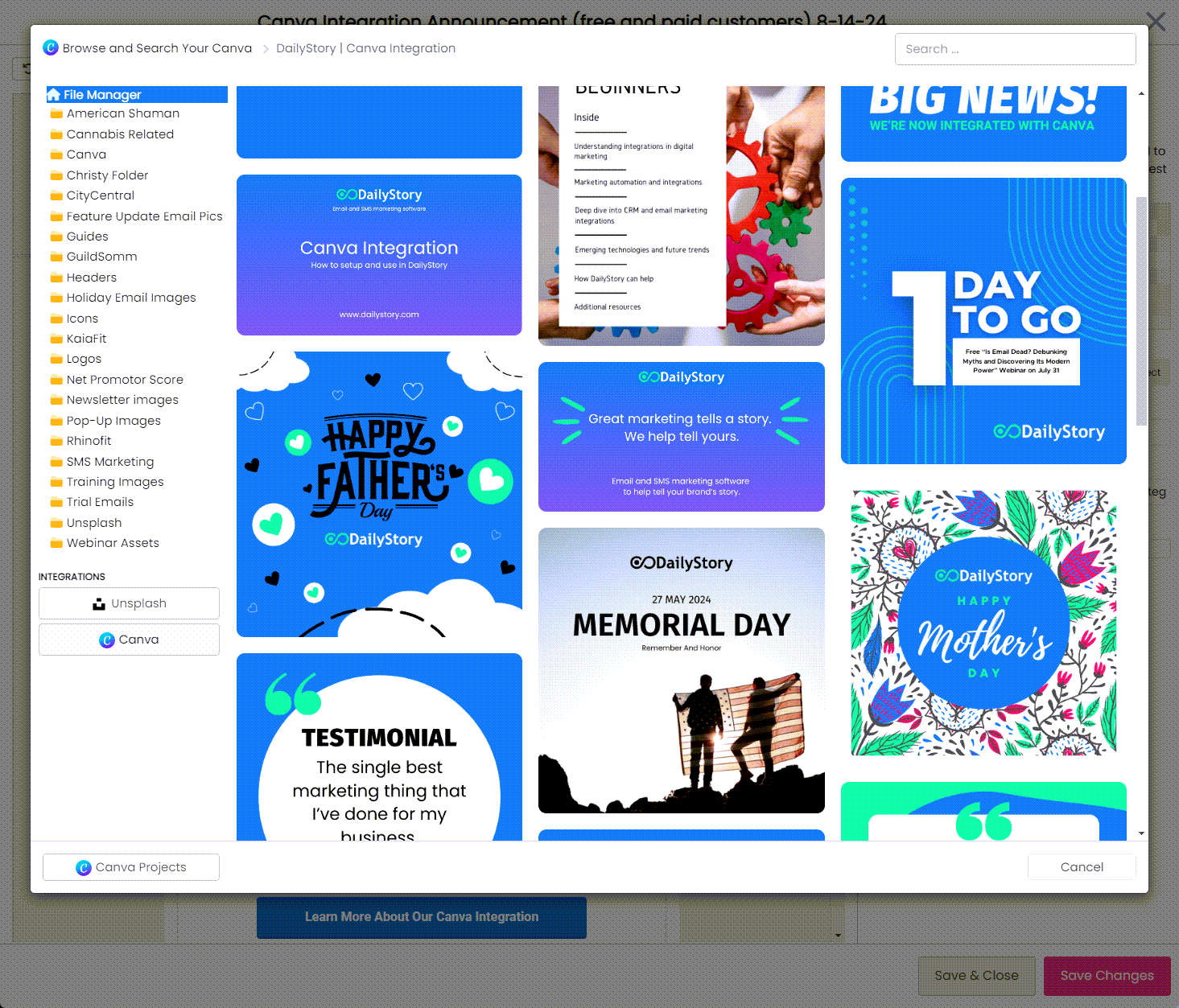
Access Canva directly within the DailyStory File Manager. Your designs are automatically saved to your File Gallery and ready to use immediately.
Pre-built Canva Templates
Get exclusive Canva templates designed by DailyStory for email headers, popups, landing pages, and more.
Why Integrate DailyStory with Canva?
DailyStory’s integration with Canva lets users create stunning visuals directly within the platform. Canva is known for its user-friendly interface and wide range of templates, making it a favourite among designers and non-designers alike. By integrating Canva, DailyStory enables marketers to design eye-catching graphics for emails, social media posts, and other marketing materials without switching between platforms — saving time and ensuring brand consistency across all channels.
How to Use Canva within DailyStory
Using Canva within DailyStory is straightforward. Here’s a quick guide:
- Access Canva from DailyStory — Navigate to the content creation area in your DailyStory platform and select the option to create designs using Canva.
- Choose Your Template — Canva offers templates tailored for every marketing need, from email banners to social media posts to blog graphics.
- Customize Your Design — Add your brand colours, upload images, and include compelling text using Canva’s intuitive tools.
- Save and Use — Save your design directly to your DailyStory media library. From there, insert it into emails, landing pages, or campaigns with just a few clicks.
Benefits of the Integration
- Streamlined Workflow — Integrating Canva directly into DailyStory eliminates the need to juggle multiple tools, allowing for quicker design-to-publish times.
- Consistency and Brand Identity — Canva’s templates make it easier to maintain a consistent brand identity across all marketing channels, building recognition and trust.
- Enhanced Engagement — Visually appealing content grabs attention. Canva’s design tools help create eye-catching graphics that drive higher engagement across every campaign.
Real-Life Applications
Email Marketing — Use Canva to create email headers, promotional banners, and call-to-action buttons that make your emails more engaging and drive better conversion rates.
Landing Pages — Customize landing pages with unique Canva graphics to improve user experience, reduce bounce rates, and increase conversions.
Why DailyStory
DailyStory’s integration with Canva enables your team to create visually compelling marketing content without leaving the platform. Access Canva’s design tools directly inside DailyStory to craft personalized, on-brand visuals that align perfectly with your marketing strategy — and get them into campaigns faster than ever.